
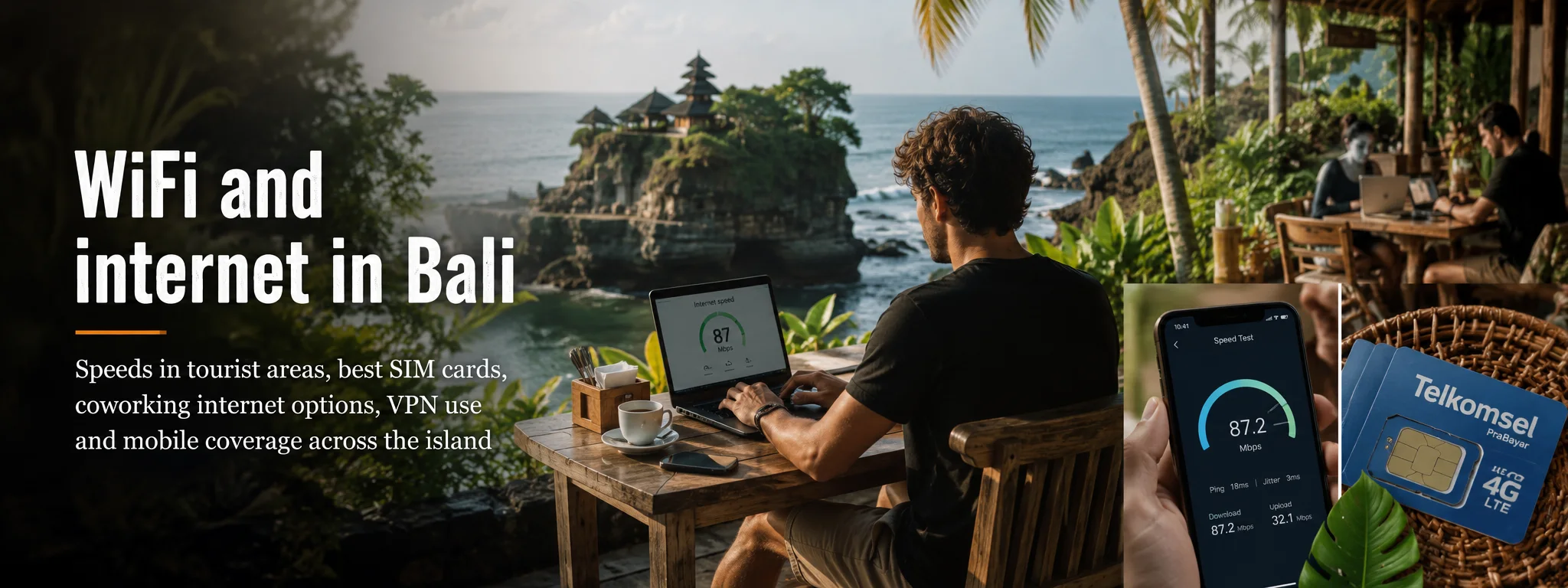
For ordinary holiday use, Bali is well connected. Maps, messaging, video, ride-hailing and streaming are routine across the main visitor belt. The harder question is whether the exact room you booked can hold a two-hour client call while three other guests stream video — and whether you still have a connection when the villa fibre or electricity fails.
01 How good is Bali’s internet in 2026?
In the major tourist and population centres — Denpasar, Kuta, Seminyak, Canggu, Sanur, Nusa Dua and much of Ubud — mobile broadband is normal infrastructure, not a luxury. Fibre is widely available to hotels, villas, cafés and coworking spaces. 5G coverage has also expanded substantially in South Bali.
That does not mean every property is good. Bali’s last 100 metres are often the problem: a villa may use a cheap shared plan, a concrete room may kill mobile signal, a café may have too many devices on one access point, or an otherwise excellent fibre line may depend on local power without adequate backup.
National mobile benchmarks are useful for comparing operators, but they are not a promise about your rice-field villa. Opensignal’s July 2026 Indonesia report shows strong competition among XL, Telkomsel and Indosat, with different networks leading different experience measures. Your decision should be local.
02 Mobile data: 4G is the workhorse, 5G is increasingly real
Do not reject a connection because the phone says 4G rather than 5G. A clean 4G signal can comfortably handle maps, HD video and video calls. 5G matters most in busy high-capacity areas and for large downloads, uploads or hotspot use.
Telkomsel has specifically expanded Hyper 5G across South Bali, including busy corridors through Denpasar/Badung and routes around Kuta–Canggu, Nusa Dua and Renon–Sanur. XL also lists 5G availability in Badung and Denpasar and has strengthened rapidly after the XLSmart merger. Indosat has 5G presence in parts of Bali and remains a strong option in populated areas.
03 Telkomsel vs XL vs Indosat for Bali
| Network | Practical strength | Who we would consider it for |
|---|---|---|
| Telkomsel | Broad national coverage and major 5G investment in South Bali. | Travellers going beyond the main urban belt; strong default primary/backup line. |
| XL / XLSmart | Very competitive speed performance and 5G in Denpasar/Badung. | Heavy data users in South Bali; good network to test for Canggu/Seminyak/Nusa Dua bases. |
| Indosat / IM3 / Tri | Competitive urban network and strong results in several experience measures. | Value-conscious travellers and an excellent candidate for a second-network backup. |
For a one-phone holiday, choose the operator that best matches your route. For mission-critical remote work, the smarter setup is often two networks — for example a local SIM/eSIM on one operator plus a travel eSIM or second local line using another.
See our SIM card and eSIM guide for registration, tourist plans and Indonesia’s 90-day IMEI rule.
04 Fixed broadband and fibre: the connection behind the Wi-Fi matters
A Wi-Fi icon tells you almost nothing about quality. Ask what feeds the router. Fibre-to-the-property from providers such as IndiHome, Biznet, GlobalXtreme and other local ISPs can provide fast, stable service, but the package, contention and in-building network still determine what you actually experience.
GlobalXtreme, a Bali-based ISP with a long-established local network, currently markets fibre plans up to hundreds of Mbps. Other national providers also cover parts of the island. Availability is address-specific; one lane can have multiple fibre choices while a nearby hillside property relies on wireless backhaul.
For a holiday, this distinction barely matters. For a month of remote work, it matters a lot. Ask the host:
- Is the internet dedicated to this villa/room or shared across a compound?
- What is the download and upload speed on a recent test?
- Was that test taken over Wi-Fi in the room where you will work?
- Is there a backup ISP or mobile router?
- Does the router/ONT stay powered during a short outage?
- Can you connect by Ethernet if Wi-Fi is congested?
05 Regional reality: where you should expect more variation
| Area | Typical connectivity picture | Remote-work note |
|---|---|---|
| Canggu / Pererenan | Strong mobile and fibre ecosystem, many work-oriented cafés and accommodation providers. | Traffic and café crowding can be more disruptive than internet itself. |
| Seminyak / Kuta / Legian | Mature hotel and mobile infrastructure. | Usually easy; test budget hotels where Wi-Fi may be heavily shared. |
| Sanur / Denpasar | Strong urban infrastructure with fibre and mobile choices. | One of the easier bases for reliable day-to-day work. |
| Ubud centre | Generally good, with many remote-work businesses. | Properties in ravines/rice-field lanes can vary dramatically by building and provider. |
| Sidemen / rural East Bali | Mobile service exists but terrain can create local dead zones; fixed options vary. | Verify the exact property rather than relying on the village name. |
| Amed / Tulamben | Reasonable in many populated strips, but less consistent than South Bali. | Fine for many workers with tested accommodation + mobile backup. |
| Nusa Penida | Improving mobile coverage, but topography and power/infrastructure can create sharp variation. | Do not schedule mission-critical work without testing your exact hotel first. |
| West Bali / remote north | More gaps and fewer redundant fixed options. | Carry two networks if work matters. |
06 Hotel and villa Wi-Fi: how to tell whether “fast Wi-Fi” is marketing
Booking-platform Wi-Fi ratings are almost useless for serious work. A guest who successfully sent WhatsApp messages may rate the same connection five stars that a video editor considers unusable.
Ask for a screenshot from Speedtest/Fast.com or another test taken recently, but read it intelligently. You want upload speed, latency and consistency, not merely download. A remote worker sending large files may care more about 30 Mbps upload than 200 Mbps download. Video calls care about stable latency and packet loss.
If the host sends a screenshot from reception when you are booking a detached garden villa, ask again. Wi-Fi coverage within the property is a separate problem from the internet line.
07 Coworking spaces: pay for reliability, not a fashionable desk
Bali has a mature coworking market, particularly in Canggu, Pererenan, Ubud and parts of the south. The best reason to use one is not raw Mbps; it is operational resilience: business-grade connections, multiple access points, quiet-call rooms, backup internet, staff who notice outages and sometimes power backup.
The old Dojo Bali name still appears in stale travel articles even though the original Canggu coworking operation closed in 2022. That is a useful warning about all “best coworking” lists: verify the business is currently operating before choosing accommodation around it.
For a one-off important call, buying a day pass at a current coworking space can be cheaper than gambling a client relationship on café Wi-Fi. For a month, test the workspace for a day before buying a long membership.
08 Café Wi-Fi: good backup, bad infrastructure plan
Many Bali cafés have excellent fibre, especially in remote-work neighbourhoods. The weak point is the shared environment. Lunch rush can saturate the access point; music can make calls impossible; tables may be time-limited; power outlets are not guaranteed; and businesses understandably do not exist to host an eight-hour office for the price of one coffee.
Use cafés for flexible work, not confidential calls or deadlines that cannot tolerate interruption. A remote-work café guide should be treated as a current shortlist, not permanent infrastructure.
09 Power cuts and the hidden dependency nobody checks
Fibre internet still needs electricity at the property. A laptop battery will keep your computer alive during a power cut while the router and optical network terminal quietly die. If remote work is critical, ask whether the property has a generator, UPS or battery backup for networking equipment.
A fully charged phone with hotspot data is the simplest redundancy. A small USB power bank can keep phones alive; dedicated travel routers and larger battery systems make sense for long stays.
10 VPNs, blocked sites and work security
Indonesia blocks access to some categories of websites and online services under local regulation, so travellers may find that a site available at home does not load normally. Corporate VPNs are also standard tools for secure access to company systems.
Install any VPN or company security software before departure. Do not assume a VPN makes prohibited activity legal; Indonesian law still applies. For ordinary remote work, use encrypted connections, multi-factor authentication and avoid sensitive work on open public Wi-Fi unless your company security setup is designed for it.
11 What speed do you actually need?
| Task | Practical target | What matters besides Mbps |
|---|---|---|
| Messaging, maps, browsing | 5–10 Mbps | Coverage and latency. |
| HD streaming | 10–20 Mbps | Consistency during peak time. |
| Video calls | 10+ Mbps both ways is comfortable | Upload, latency, jitter, packet loss. |
| Large cloud uploads | 30–100+ Mbps upload | Upload cap and stability. |
| Multiple remote workers | 50–100+ Mbps shared | Router quality and simultaneous use. |
These are practical planning targets rather than provider promises. Modern video calls can work on much less; the margin gives you resilience when the network is busy.
12 Our remote-work setup for Bali
- Primary: accommodation/coworking fibre verified with a recent speed test.
- Backup 1: local SIM/eSIM with a generous hotspot allowance.
- Backup 2: a second operator or travel eSIM if missed work has real consequences.
- Power: laptop charged, phone power bank, and ask whether networking gear has backup power.
- Calls: know your nearest coworking/day-pass alternative before the day of an important meeting.
- Security: VPN/company access tools installed and tested before travel.
13 When the internet suddenly becomes terrible
- Run a speed test on both Wi-Fi and mobile data to identify which connection is failing.
- Move closer to the router; if performance improves dramatically, the issue is Wi-Fi coverage rather than the ISP.
- Switch between 5G/4G if your phone is clinging to a weak 5G signal.
- Restart the router only with the property owner’s permission — you may disconnect other guests or business systems.
- Ask whether there is a second access point, Ethernet port or backup line.
- For a deadline, stop troubleshooting after a few minutes and move to your known backup.
14 Sources and live coverage checks
- Opensignal — Indonesia Mobile Network Experience, July 2026.
- Telkomsel — Bali 5G information and coverage checker.
- XL — current 5G information and coverage checker.
- GlobalXtreme — Bali fibre provider information.
- Indonesian Customs — IMEI rules for overseas phones and temporary tourists.
Mobile coverage and fixed-broadband availability are address-specific. Treat network maps and national awards as screening tools, then verify the exact property.